Remote Play Versus PlayStation Cloud Streaming: Hardware, Speed, And Latency Compared

One pipeline turns your own living room console into a private broadcast station for free, while the other renders games on remote server blades for a monthly fee. Here is how the two technologies differ.

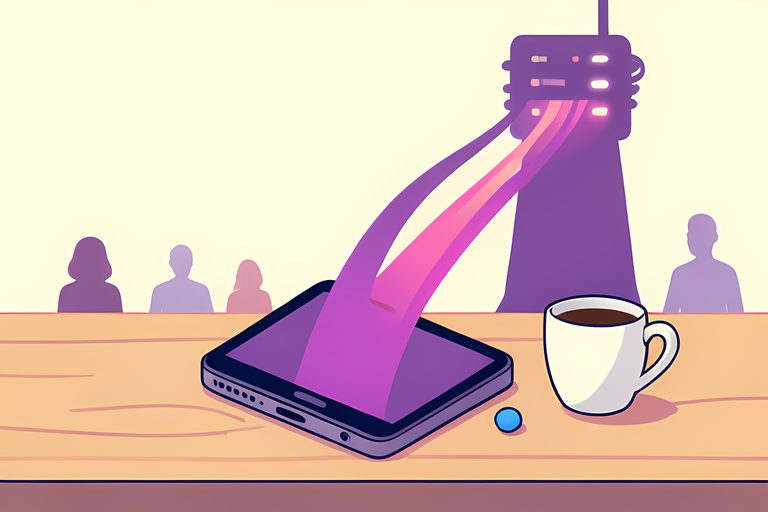
When I first mapped out the data routes connecting PlayStation games to remote screens, the biggest revelation was how different the underlying physics are. Many players talk about streaming as if it were a single technology. In truth, Sony operates two completely separate streaming pipelines that share almost no infrastructure. One relies on a console you already own, while the other draws power from industrial datacenter racks across the continent.
Choosing between PlayStation Remote Play and direct PlayStation Plus cloud streaming depends on your hardware ownership, your subscription tier, and where you intend to play. Both systems stream interactive video over a network, yet they serve distinct gaming habits.
The Source of Compute: Home Hardware Versus Server Blades
The fundamental difference between these two systems begins with which processor generates the graphics.
With Remote Play, your physical PlayStation 5 or PlayStation 4 sitting in your living room does all the computational work. The console powers on from rest mode, loads the game from its internal storage drive, renders the three-dimensional scene, encodes the video feed into an H.264 or HEVC stream, and transmits that video across your network to your phone, tablet, PC, or PlayStation Portal.
With PlayStation Plus Cloud Streaming, your home console plays zero role. In fact, you do not even need to own a console. As documented on Sony's official PlayStation Plus streaming portal, the game executes on custom server blades located inside Sony datacenters. The server renders the graphics and beams the compressed stream directly to your connected device over the open internet.
| Feature | PlayStation Remote Play | PlayStation Plus Cloud Streaming |
|---|---|---|
| Hardware Required | Physical PS5 or PS4 console at home | PC, handheld, or supported device only |
| Subscription Cost | 100% Free; no subscription needed | PlayStation Plus Premium required |
| Home Power State | Console must remain in Rest Mode | No home hardware involved |
| Playable Library | Any game installed on your console | Supported Game Catalog & digital titles |
| Local Network Latency | Very low (10-25ms on home Wi-Fi) | Medium (30-60ms datacenter round-trip) |
Subscription Requirements and Pricing Models
Cost is where the two services diverge most sharply. Remote Play is a built-in feature of the PlayStation operating system. According to the official Remote Play setup guide, any PlayStation owner can stream games from their console to secondary screens without paying a single subscription fee. You do not need PlayStation Plus Essential, Extra, or Premium to use Remote Play.
Cloud streaming, by contrast, is a premium service product. Because Sony must maintain expensive server infrastructure and pay ongoing electricity and bandwidth costs, cloud streaming is strictly paywalled behind the PlayStation Plus Premium membership tier. If your subscription expires, your cloud streaming access terminates immediately.
Network Topologies and Latency Differences
The physical path that data packets travel creates a noticeable difference in gameplay feel.
When you use Remote Play inside your home on the same local Wi-Fi network, data packets never leave your house. Your console sends video frames directly to your router, which immediately relays them to your handheld screen. In our evaluation of the open-source Chiaki Remote Play protocol, local round-trip latency often measures between ten and twenty-five milliseconds. Fast-paced action titles feel nearly as responsive as playing on a television.
When you stream from the cloud, your inputs must travel through your internet service provider, navigate regional fiber backbones, enter Sony's datacenter, and return as encoded video. Even on high-speed fiber connections, round-trip latency typically hovers between thirty and sixty milliseconds. While great for role-playing games and adventure titles, competitive fighting games and twitch shooters reveal the slight network delay.
Controller Feedback and Resolution Profiles
Hardware integration also differs between the two streaming pipelines. When you run Remote Play through the official PlayStation Remote Play app on PC and Mac with a wired DualSense controller, the software transmits full adaptive trigger tension and detailed haptic vibration signals directly from your home console. Cloud streaming clients on standard computers often default to standard rumble motors.
I admire how neatly these two technologies complement each other. Remote Play turns the console you already bought into a private in-home handheld system for zero extra dollars, while cloud streaming lets you explore hundreds of games without ever touching a screwdriver, a cable, or a retail box.
Sources
Every factual claim above traces to one of these. Links open in a new tab.
- PlayStation Remote Play Features, Setup, and Hardware Compatibility
- How to Use PlayStation Remote Play on PC and Mac
- PlayStation Plus Premium Server-Side Cloud Streaming Service
- PlayStation Portal Remote Player Hardware Specifications
- Chiaki Remote Play Protocol and Network Packet Latency Tuning
- Remote Play Hardware History and Video Encoding Protocols